

Timewarped Badge Boost in WoW Midnight

Choose the amount you need, coordinate the service with support, and let a booster handle the supported Timewalking farming during the active event period. It is useful for collection goals, vendor purchases, or other badge plans when your schedule does not match the event rotation.
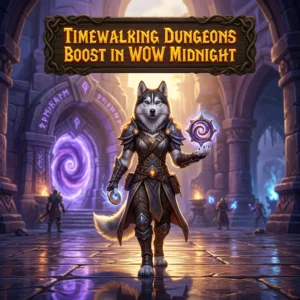
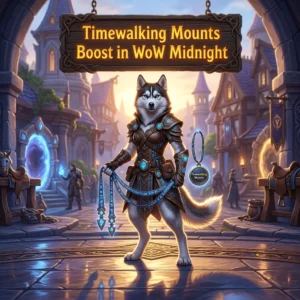
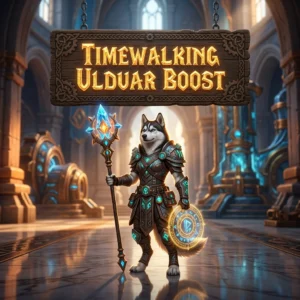
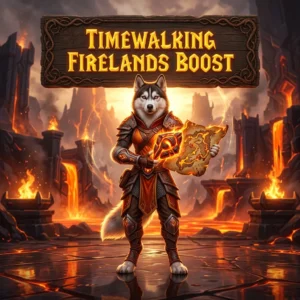
Timewarped Badge Boost in WoW Midnight
Timewarped Badge farming is tied to limited-time Timewalking activity. That makes the grind more difficult to plan than normal repeatable content. You may have only a short window to farm, while your own schedule, queue times, or group quality can make each run take longer than expected.
This boost covers the farming of the amount of Timewarped Badges selected in your order. The service is arranged around the active event window and the character details provided during coordination. You do not need to spend your evening repeating the same content when your main goal is simply reaching a badge target.
Why Players Buy Timewarped Badge Farming
The main problem is usually not understanding how to play the content. It is the time and repetition required to reach a larger currency target. A few common issues make this especially frustrating:
- Limited event timing: Timewalking activity is not always available, so missing the active window can delay your plans.
- Repeated runs: Larger badge targets require many similar clears and can make your regular play session feel like a routine farming loop.
- Unsteady groups: Matchmaking and random group performance can affect the pace of each run.
- Collection goals: Players may want to work toward a specific cosmetic or another available badge purchase without putting current content on hold.
- Limited free time: Work, school, or other commitments can make it hard to farm enough before the event ends.
What the Timewarped Badge Service Includes
The service is focused on one clear result: farming the ordered amount of Timewarped Badges through the supported Timewalking activity. The exact route and activity depend on what is available during the event window and on the order details.
- Farming toward the selected Timewarped Badge amount.
- Coordination with support before the service begins.
- Timewalking runs handled by an assigned booster.
- Progress communication while the order is active.
- Completion notification when the ordered target is reached.
Any specific preferences should be shared before the boost starts. This gives the support team a clear target and helps avoid confusion about the character, timing, or requested amount.
How the Boost Works
- Select the target: Choose the amount of Timewarped Badges required through the product options.
- Confirm the details: Provide the character and timing information needed to arrange the order.
- Wait for event availability: Farming takes place when the relevant Timewalking activity is active.
- Start the runs: The assigned booster handles the supported farming activity and works toward the selected amount.
- Track progress: Support remains available for order updates and coordination questions.
- Finish the order: You are notified when the requested badge target has been completed.
Because the service depends on event availability, the start date may need to be coordinated rather than treated as an immediate farming session. Support can clarify the timing after reviewing the order.
When This Boost Makes Sense
This service is most useful when Timewarped Badges are blocking a specific short-term plan. For example, you may be preparing for an available purchase, working on a collection goal, or trying to use the current event window before it closes.
It can also help when your main playtime is better spent on current WoW Midnight content. Replacing a long sequence of routine runs with a managed service lets you keep your own sessions focused on the activities you actually want to play. The value depends on your target amount, event timing, and how much farming time you can realistically spare.
Important Service Details
Timewarped Badge farming is not independent of the game schedule. If the relevant event is inactive, the order cannot be farmed through that activity at that moment. Planning ahead is important, especially when you need a larger amount before the event window ends.
The final pace can also depend on the selected amount and the activity available during the event. For that reason, it is better to confirm your target and timing with support instead of assuming that every order will follow the same schedule.
If you have a particular purchase or collection goal, mention it during coordination. Support can then record the target clearly and explain any timing considerations that apply to the order.
Timewarped Badge Boost FAQ
- Can I order the boost when the event is inactive?
You can place an order, but farming must be scheduled for a period when the relevant Timewalking activity is available. - How many badges can I order?
The available amount is shown through the product options and calculator. Select the target that matches your intended purchase or collection goal. - How long will the service take?
Timing depends on the ordered amount and the active event activity. Support can provide a more useful estimate after reviewing the order details. - Can I choose the exact activity used for farming?
The available activity depends on the current Timewalking event. You can share preferences with support, but efficiency and event availability may affect the final plan. - What should I provide before the boost starts?
Provide the correct character information, your badge target, and any timing or order preferences needed for coordination. - What happens when the target is reached?
Support confirms completion so you can check the character and use the Timewarped Badges for your own plans.
Order Timewarped Badge Boost in WoW Midnight
If repeated Timewalking runs are taking time away from your normal WoW Midnight plans, select the badge amount that fits your goal and submit the order details. Support will coordinate the timing around the active event and explain the next steps before farming begins.